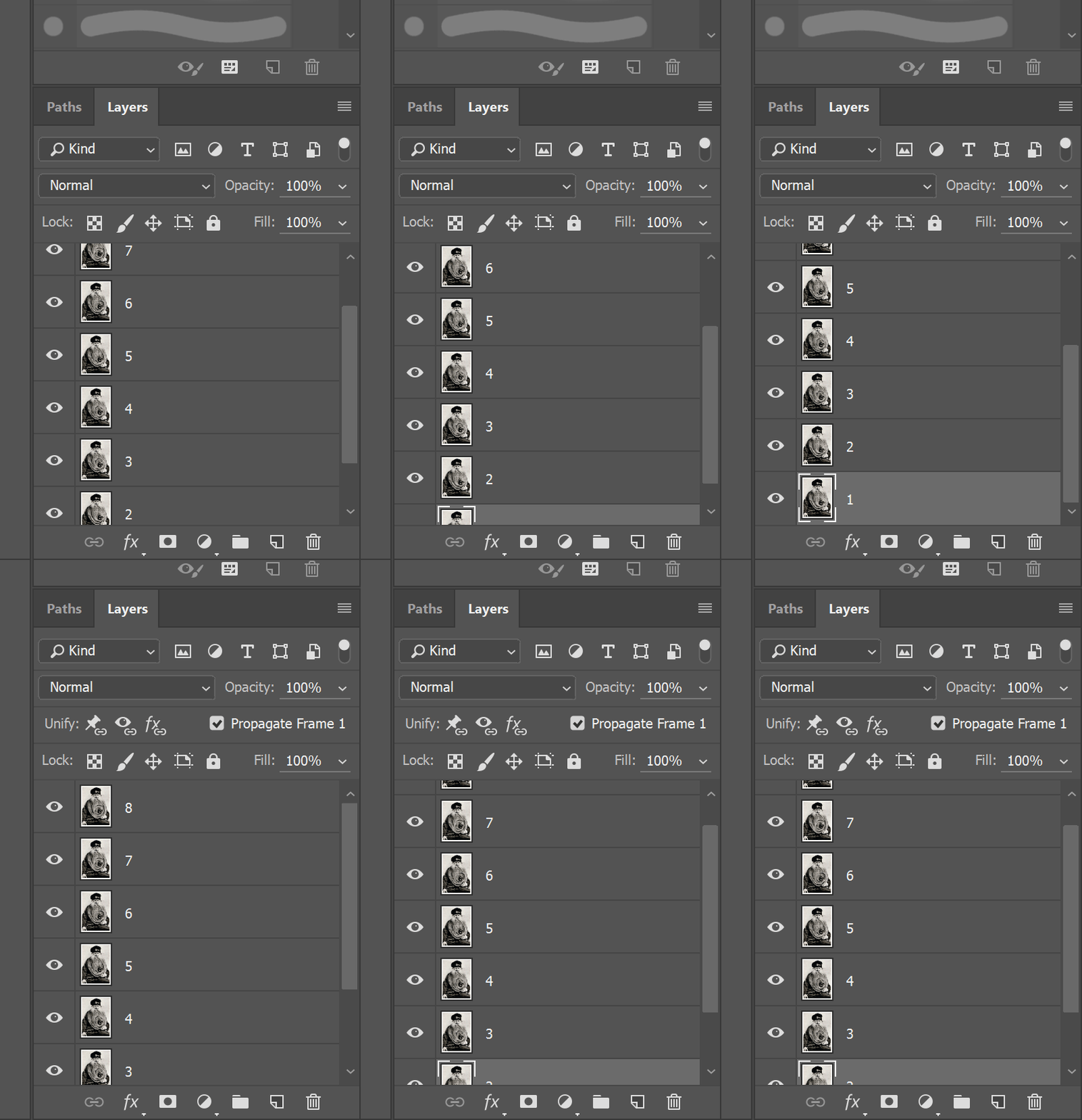
Put all of the images you would like to use in your GIF on separate layers
If you would like your images to play in a certain order, make sure to number them.
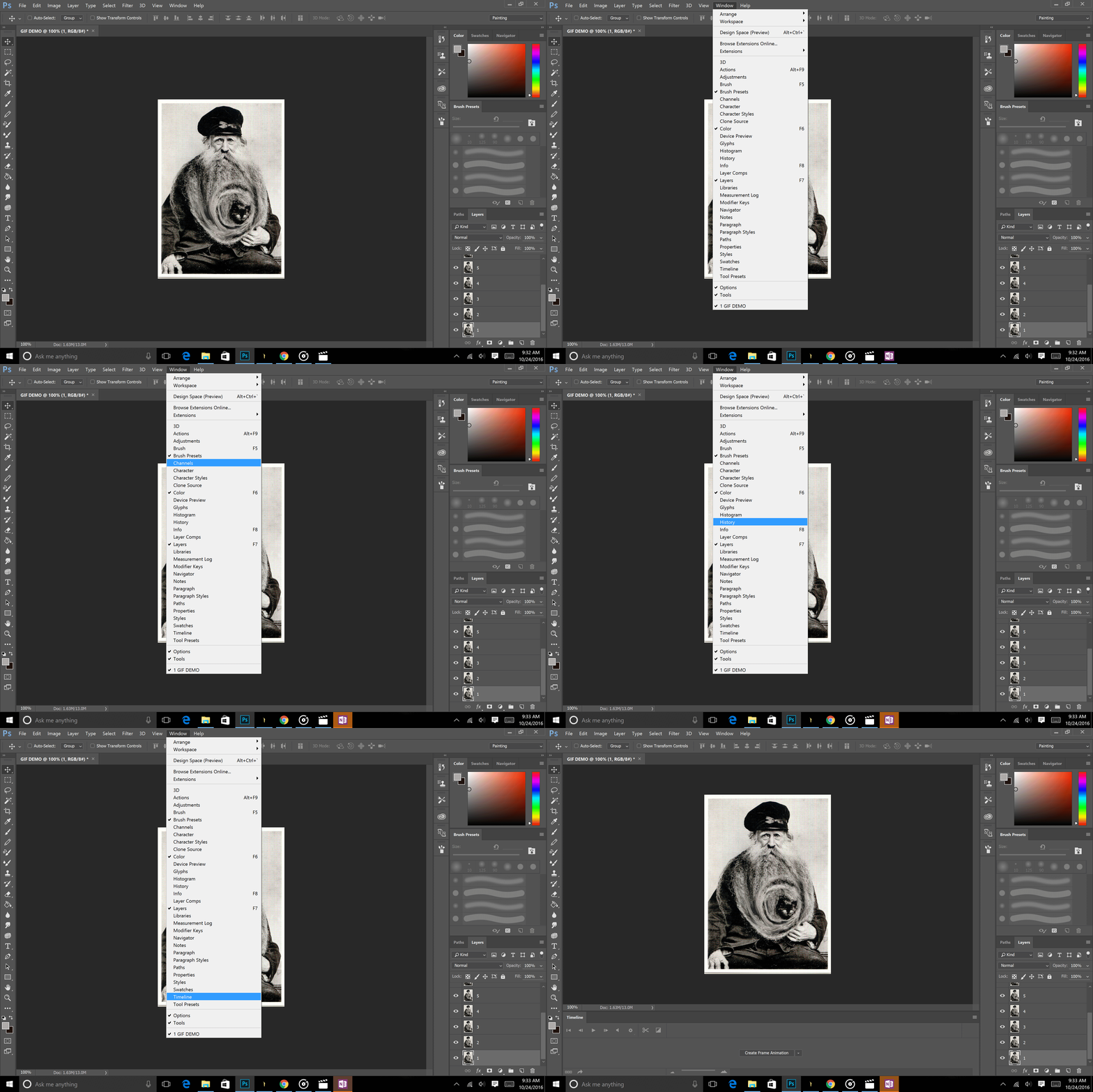
Open up timeline window
Window > Timeline
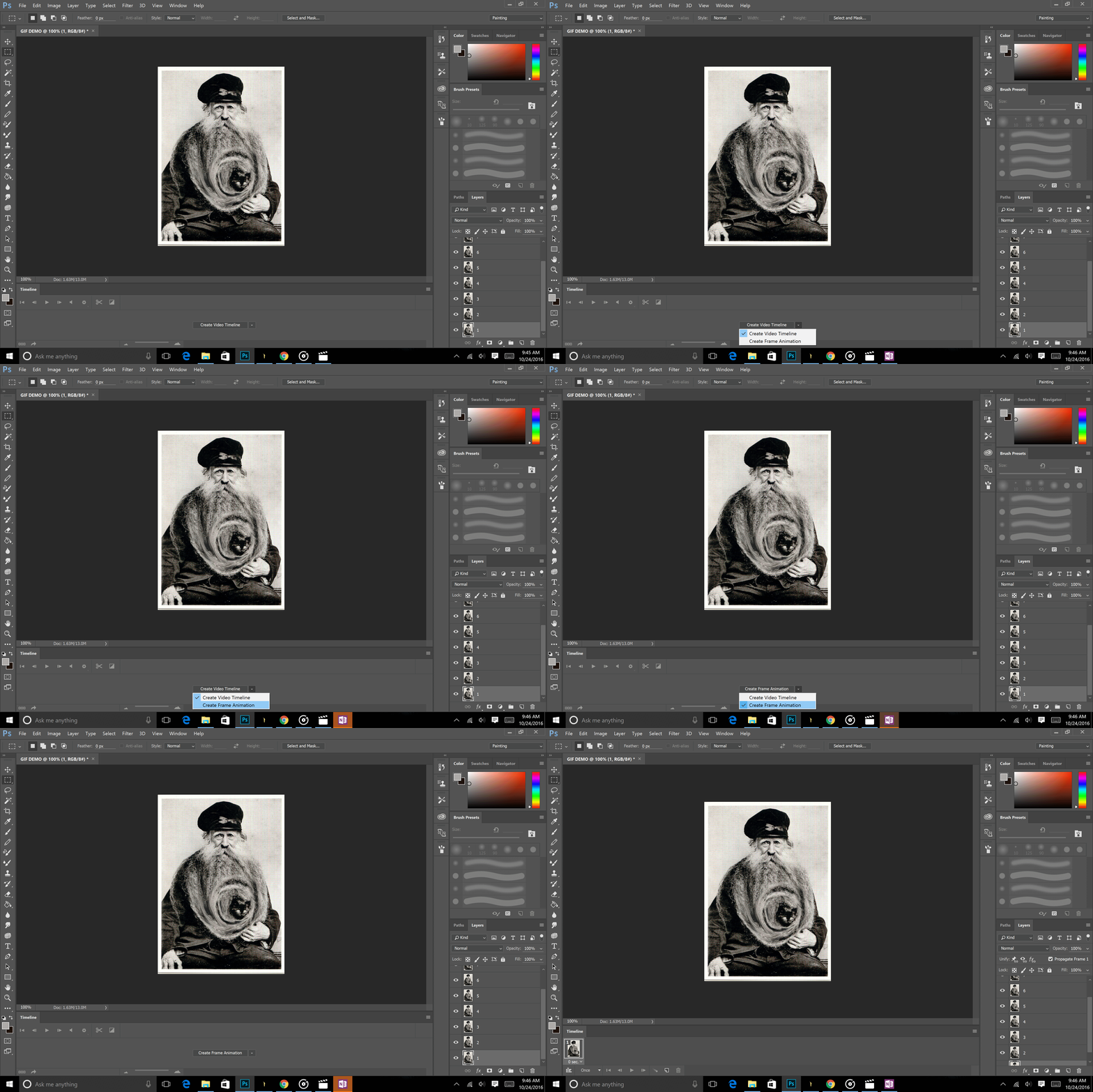
Click the arrow in timeline window.
Select "Create Frame Animation"
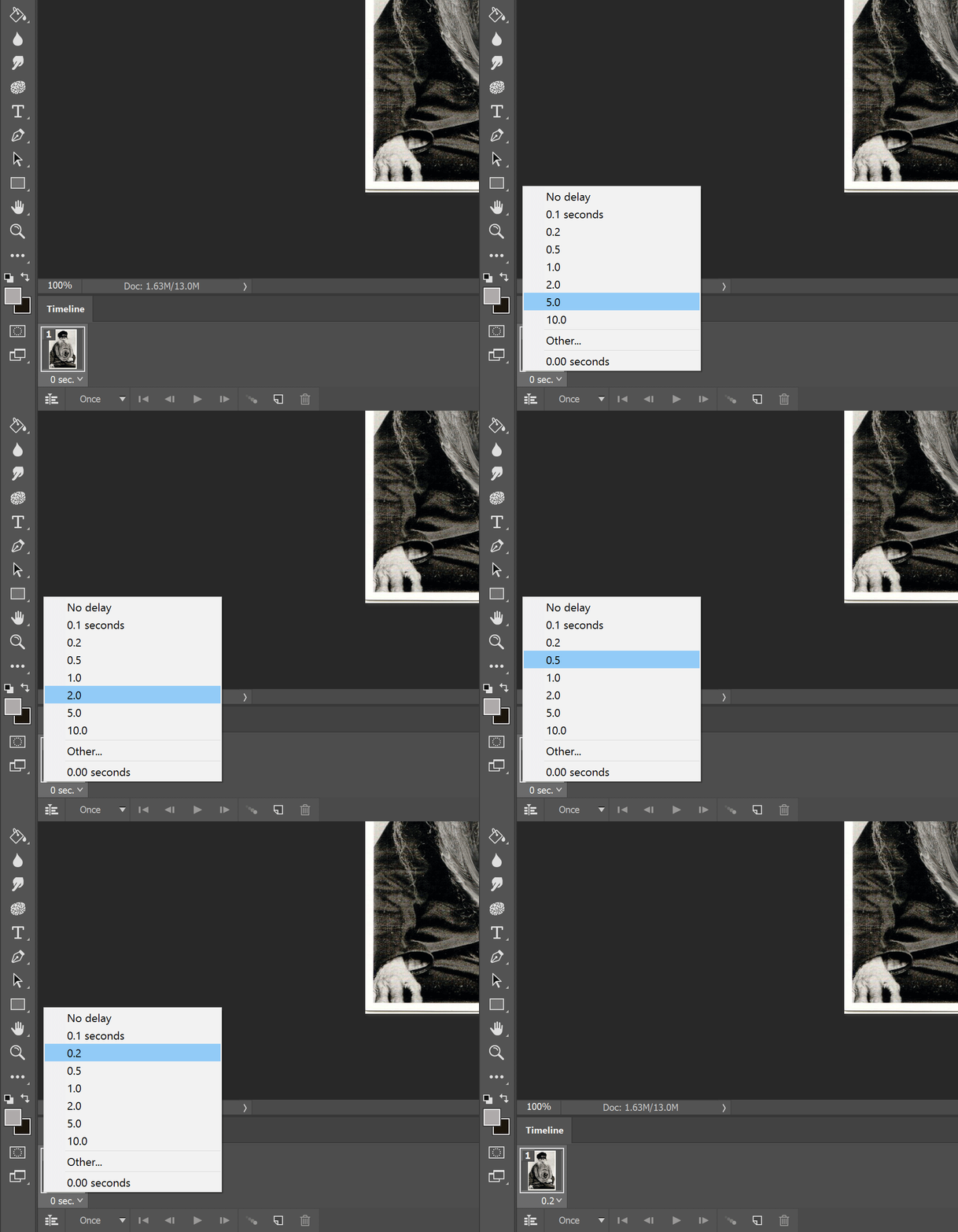
Adjust the duration of each frame.
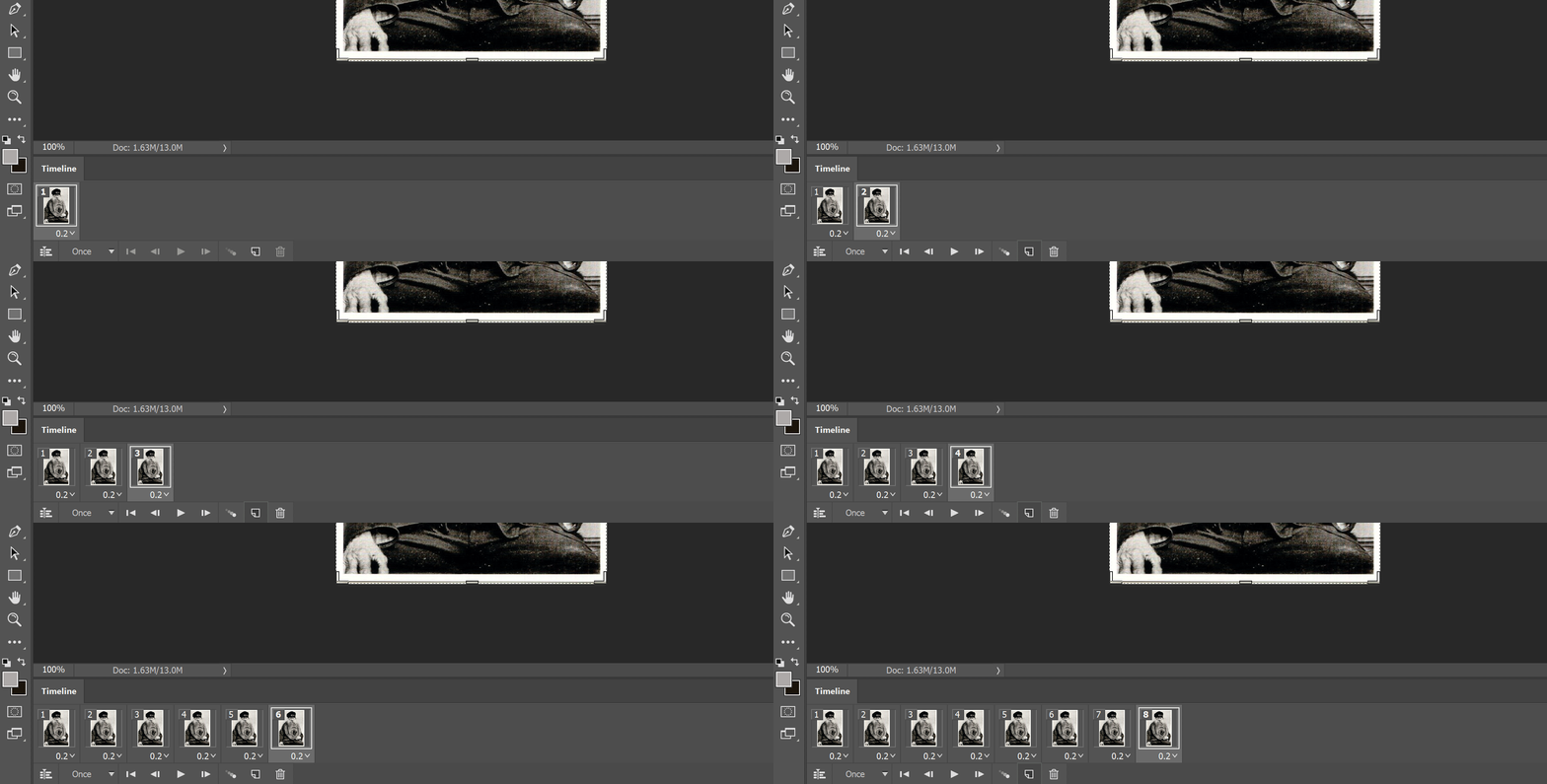
Create the desired number of frames by clicking the "new frame" button
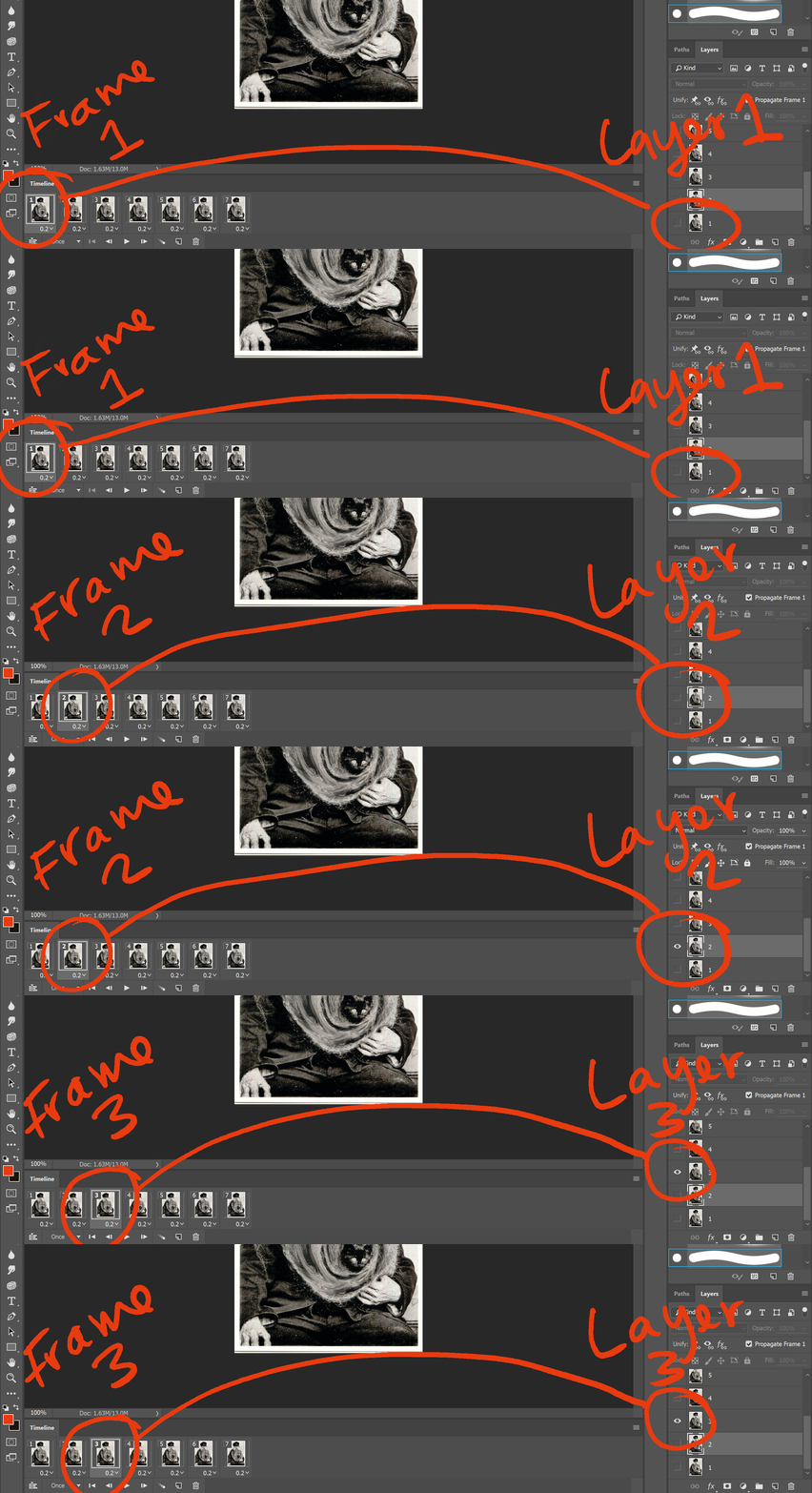
For each frame, turn on visibility for the corresponding layer.
Adjustments to frame 1 will apply to all frames.
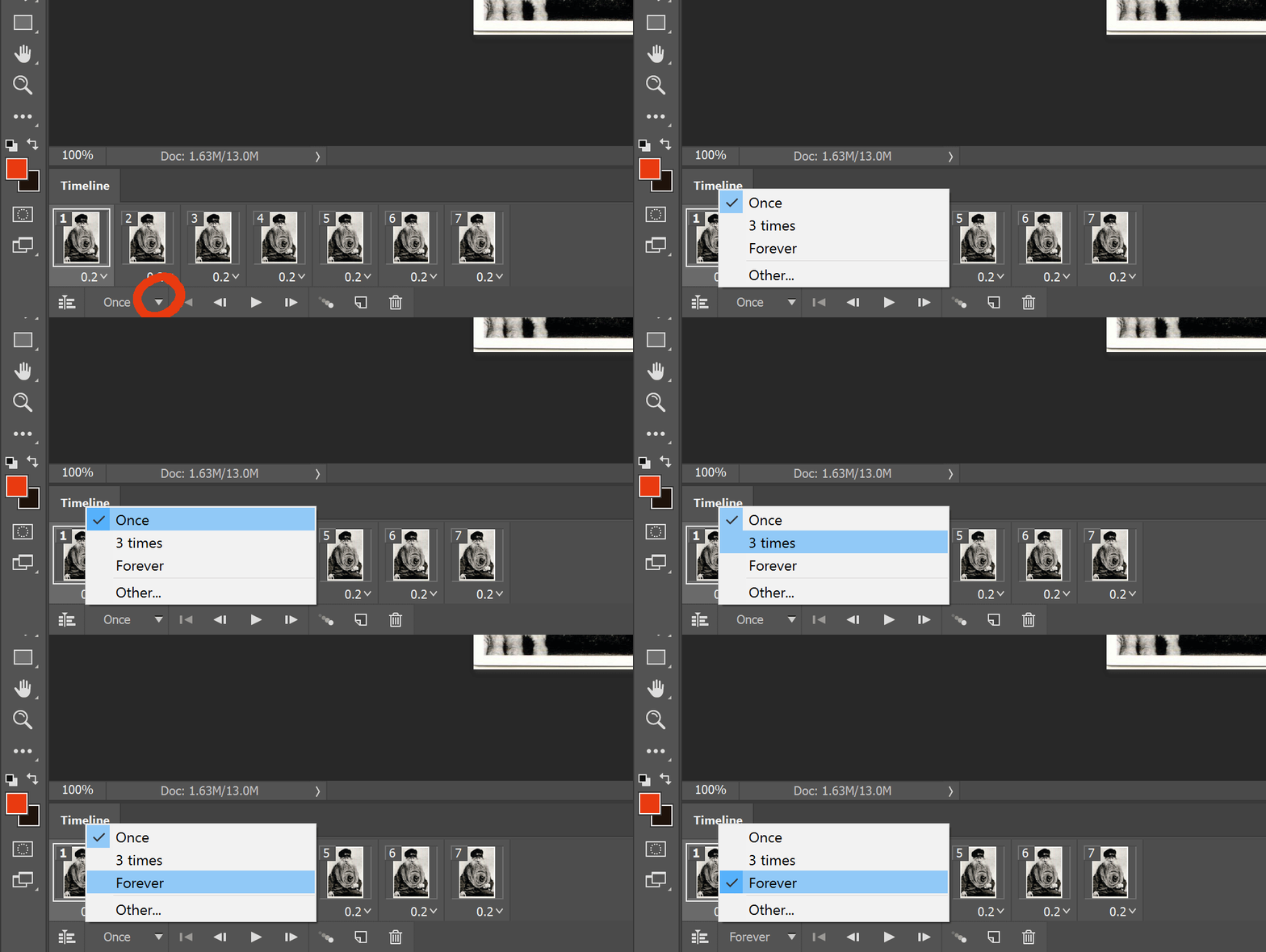
Adjust how many times the animation loops to "Forever"
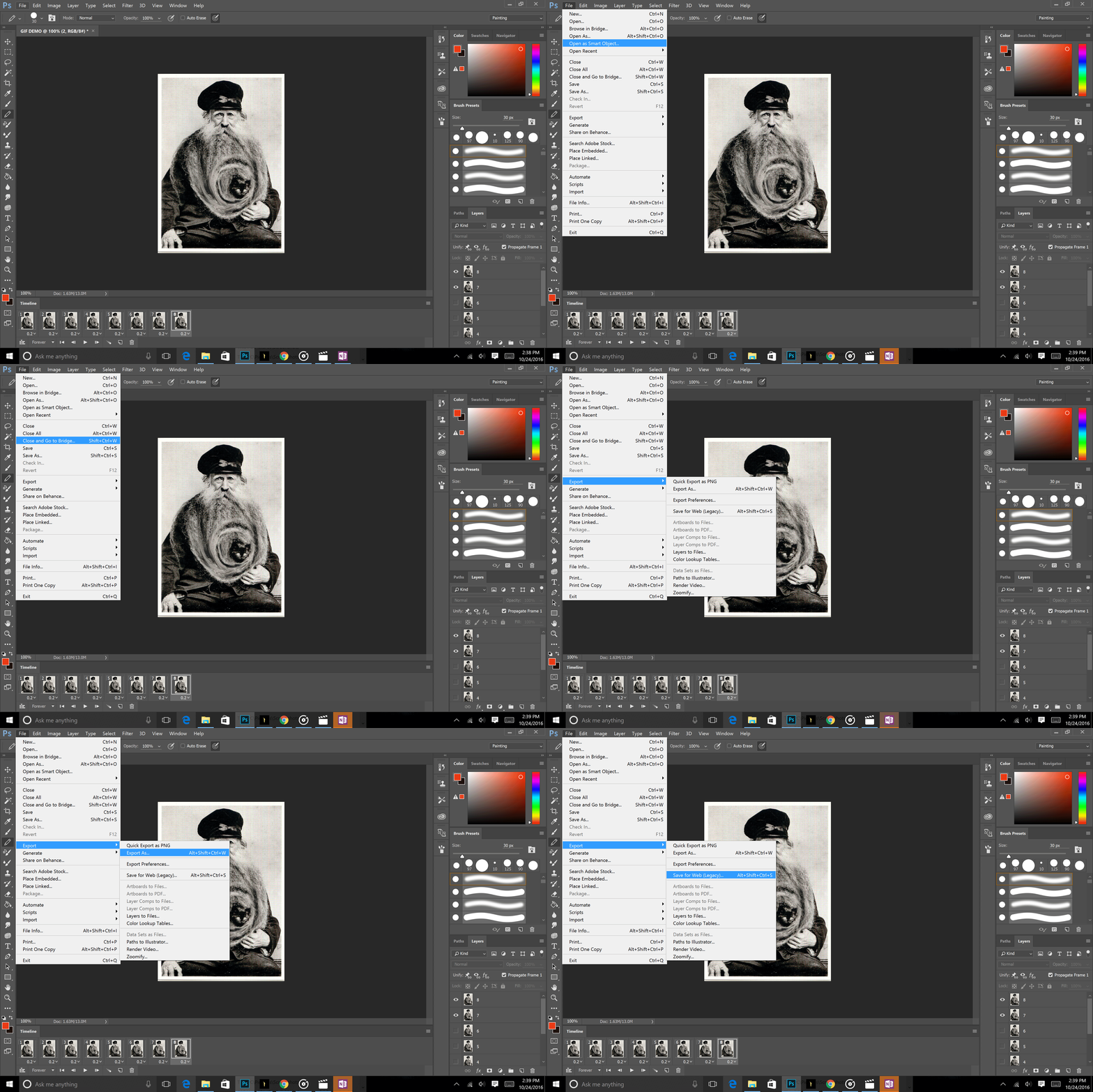
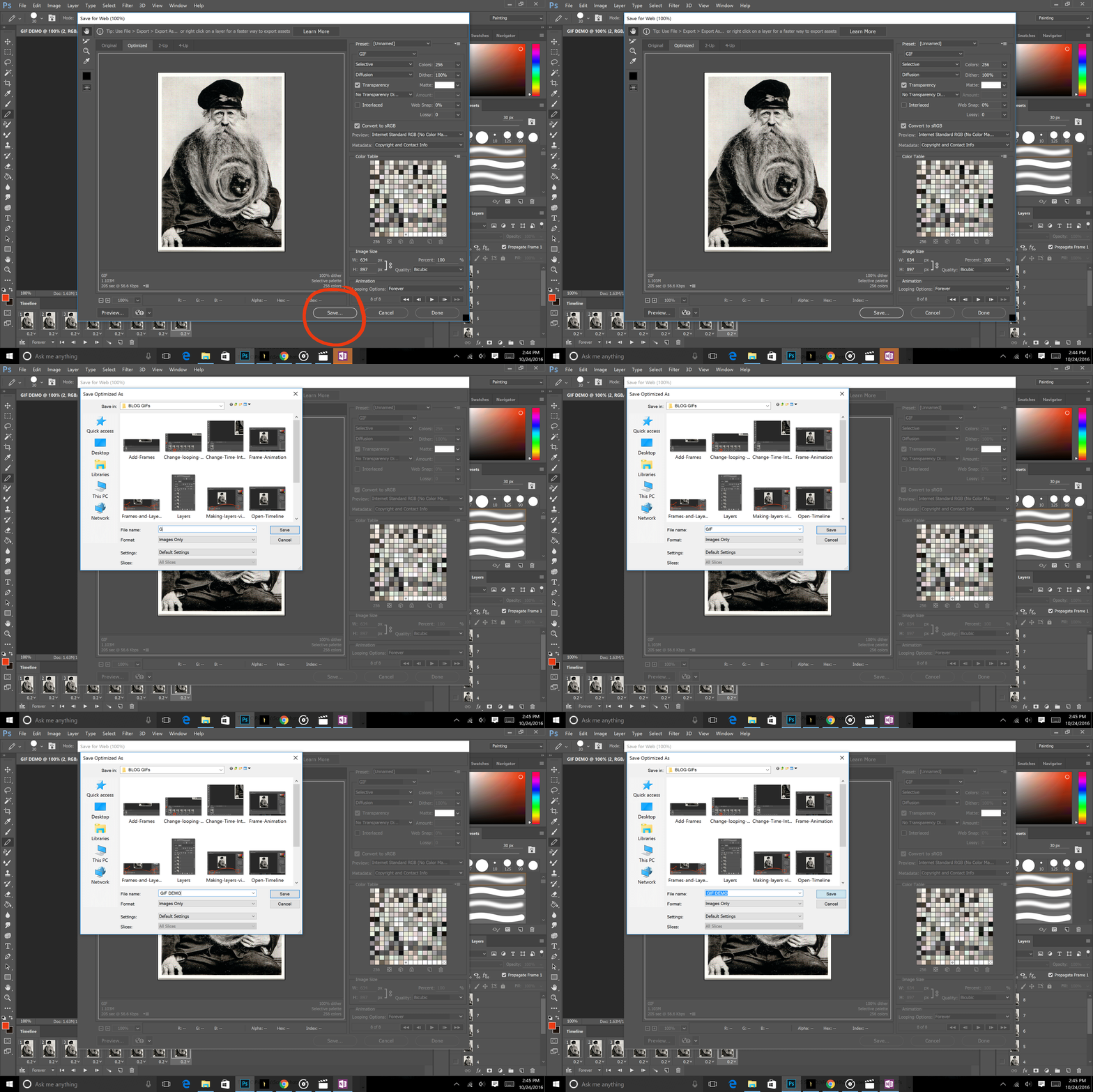
Save For Web
File > Export > Save For Web
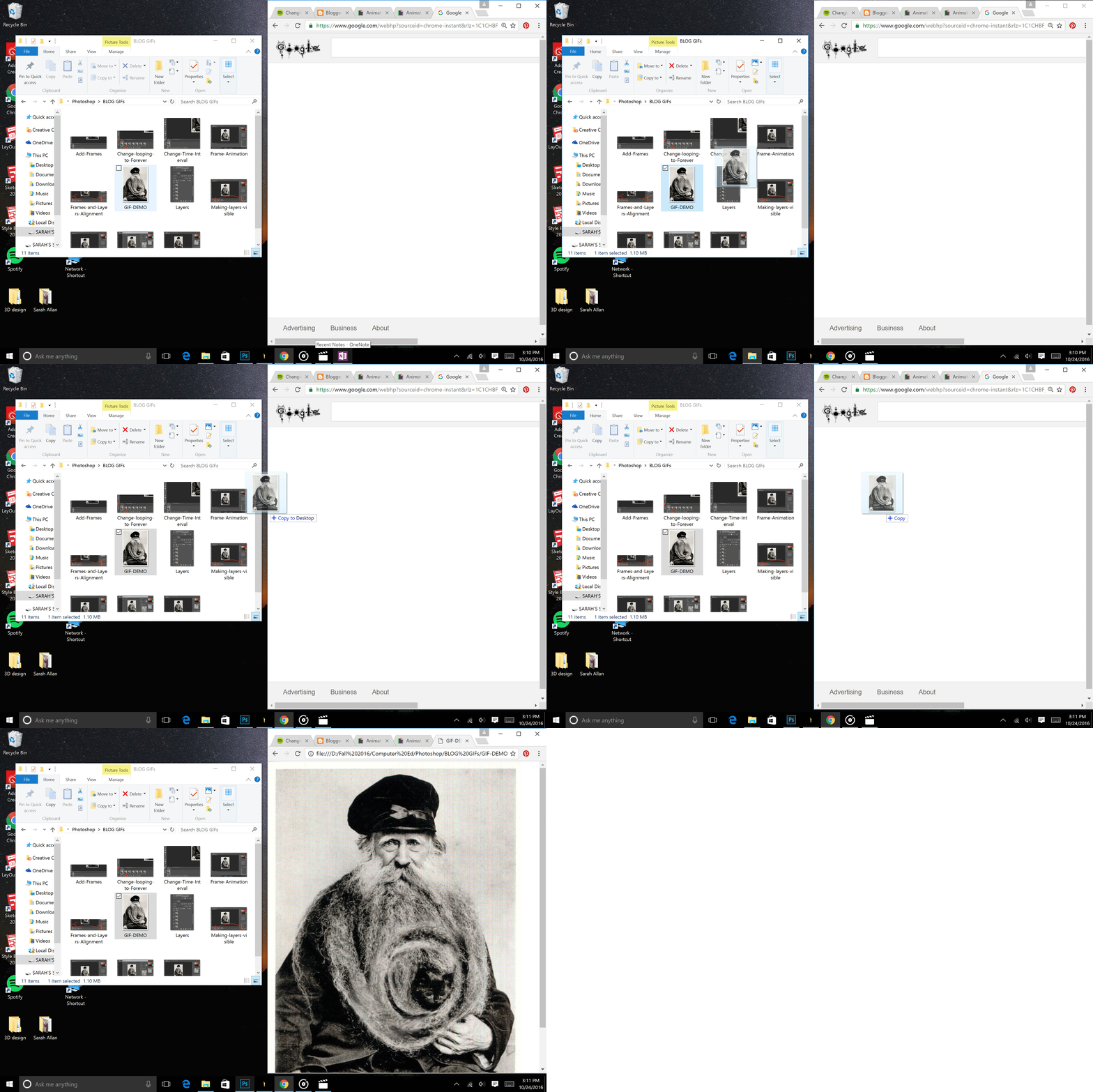
To view, click and drag GIF file into a web browser


No comments:
Post a Comment